To contact support from inside the app:
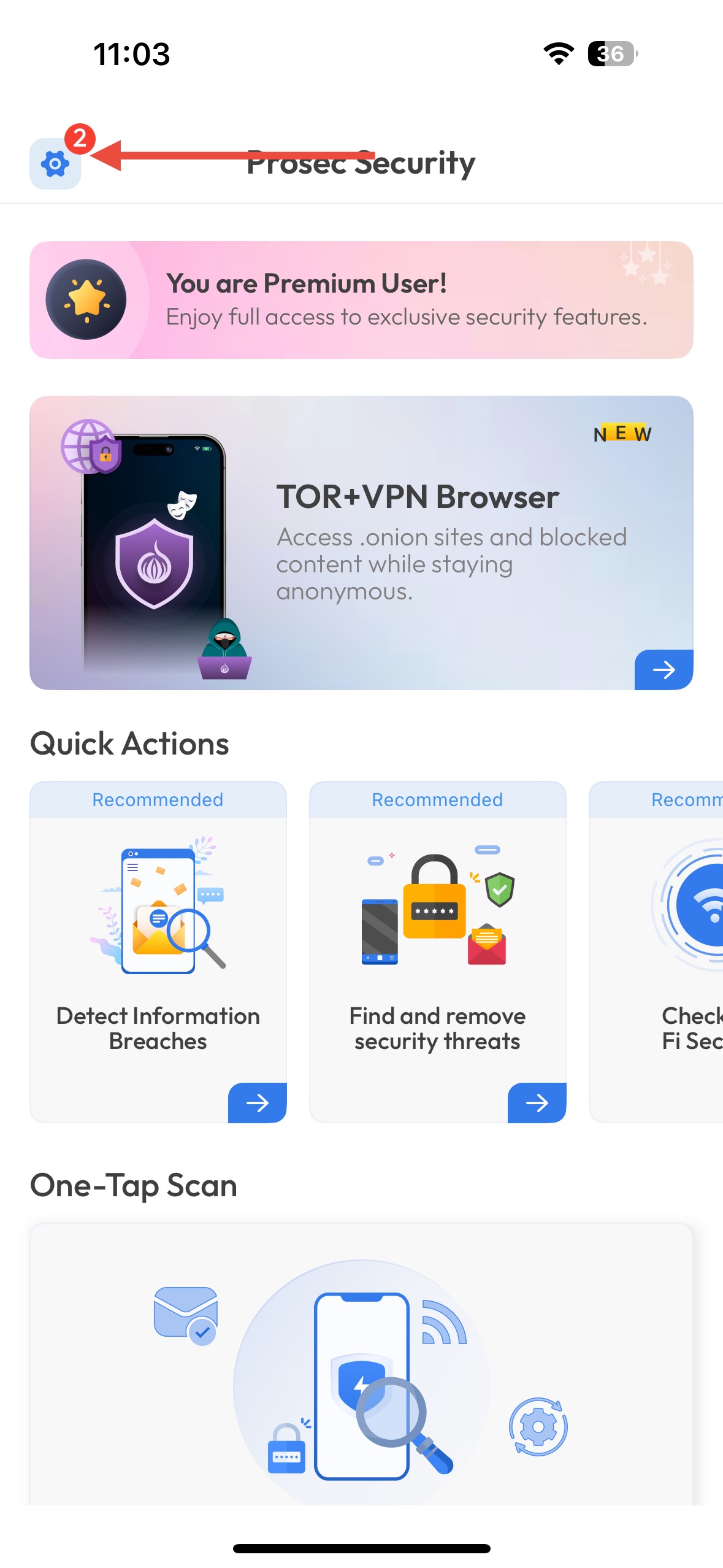
Go to the Settings section of the app.
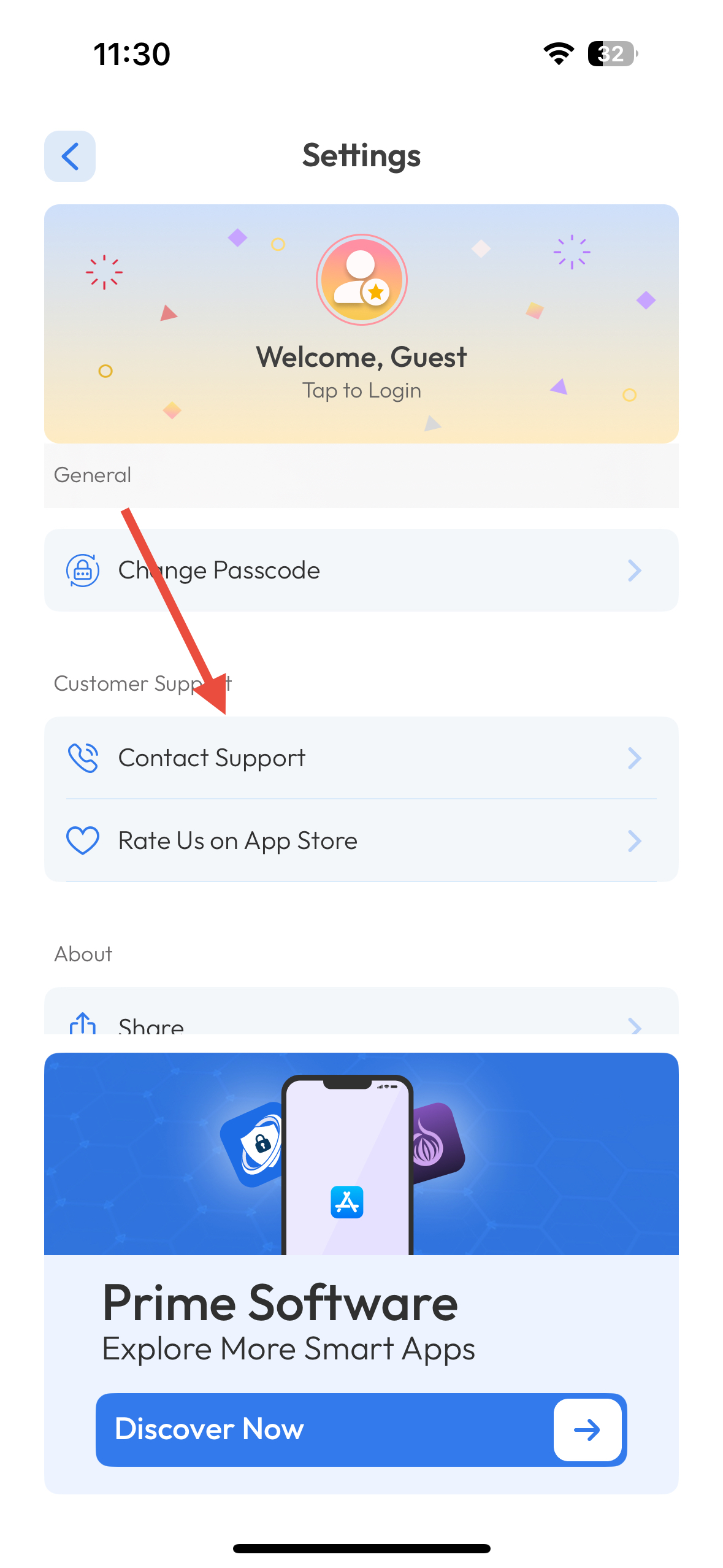
Tap on Contact Support.
A support form or dashboard will appear.
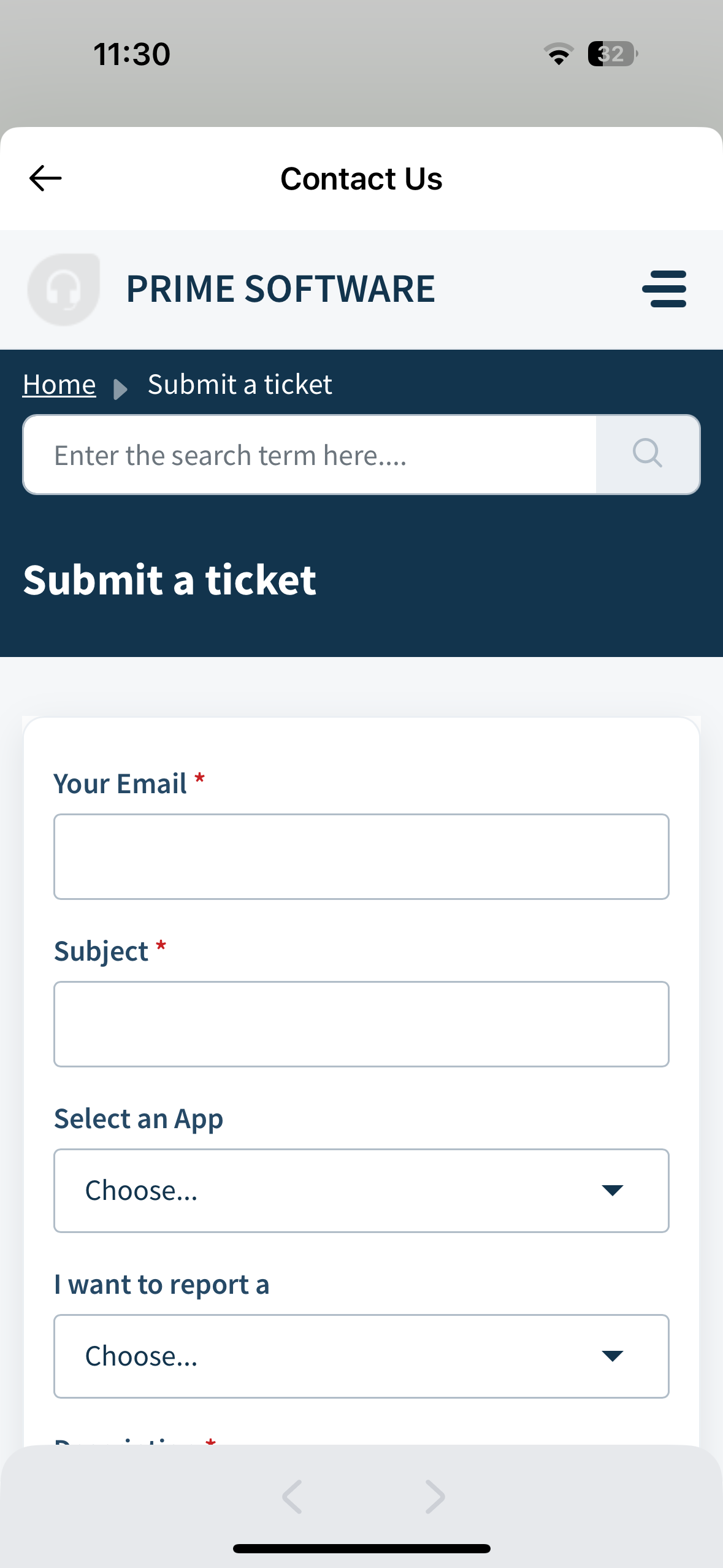
Fill out the required fields with your questions or issue details.
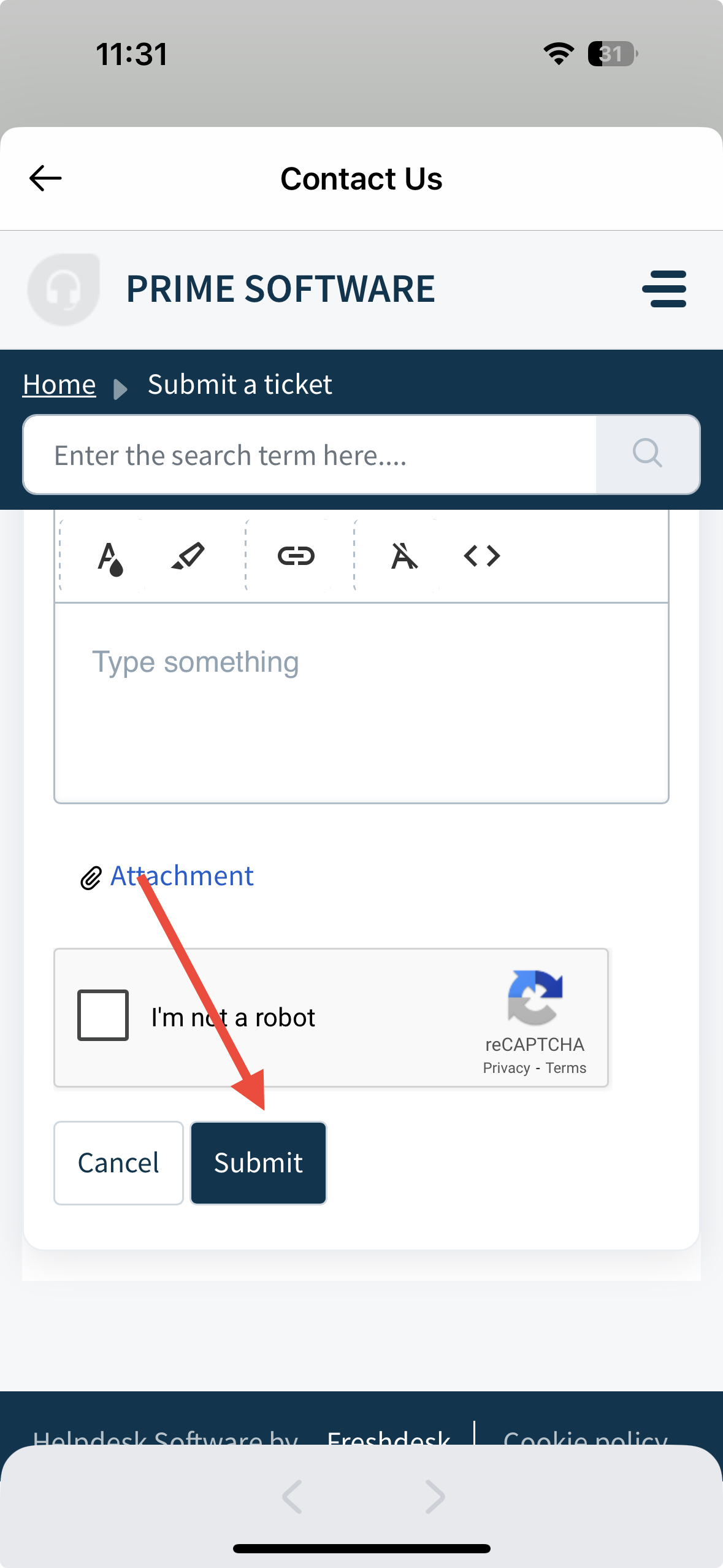
Submit the form — our support team will get back to you as soon as possible.
Was this article helpful?
That’s Great!
Thank you for your feedback
Sorry! We couldn't be helpful
Thank you for your feedback
Feedback sent
We appreciate your effort and will try to fix the article