If you’ve switched to a new iPhone or iPad and want to access your existing subscription, follow these steps to restore your purchase:
Make sure you are signed in with the same Apple ID you used to make the original purchase.
Ensure your device has a stable internet connection.
Open the app and go to the Settings or Premium screen.
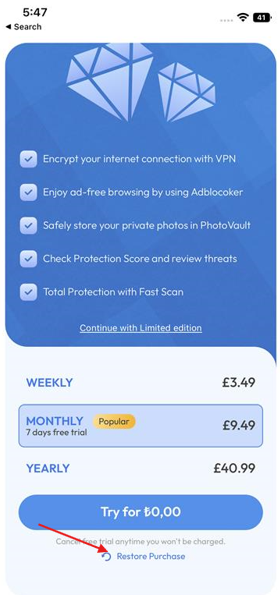
Tap the Restore Purchase the at the bottom of Premium screen or the Already Purchased button on the settings screen?
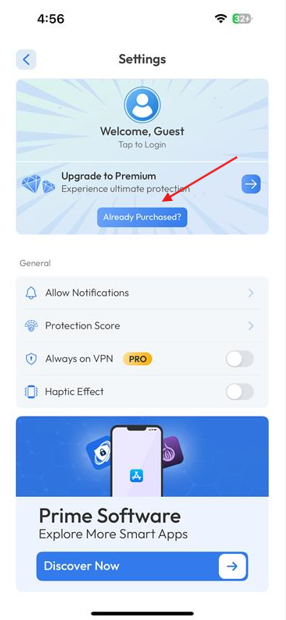
This will sync your previous purchase with the new device. If the issue persists, please contact our support team with your Apple ID details (do not share your password) and a brief description of the issue.
Was this article helpful?
That’s Great!
Thank you for your feedback
Sorry! We couldn't be helpful
Thank you for your feedback
Feedback sent
We appreciate your effort and will try to fix the article