Prosec VPN is a Virtual Private Network that helps keep your browsing safe and private by encrypting your internet connection. Whether you're using public Wi-Fi or just want extra online protection, Prosec VPN ensures your data stays secure.
Getting Started with Prosec VPN:
Open the Prosec VPN App
Launch the app from your home screen.
Scroll to the VPN Section
On the home screen, scroll down to find the VPN section located in the middle.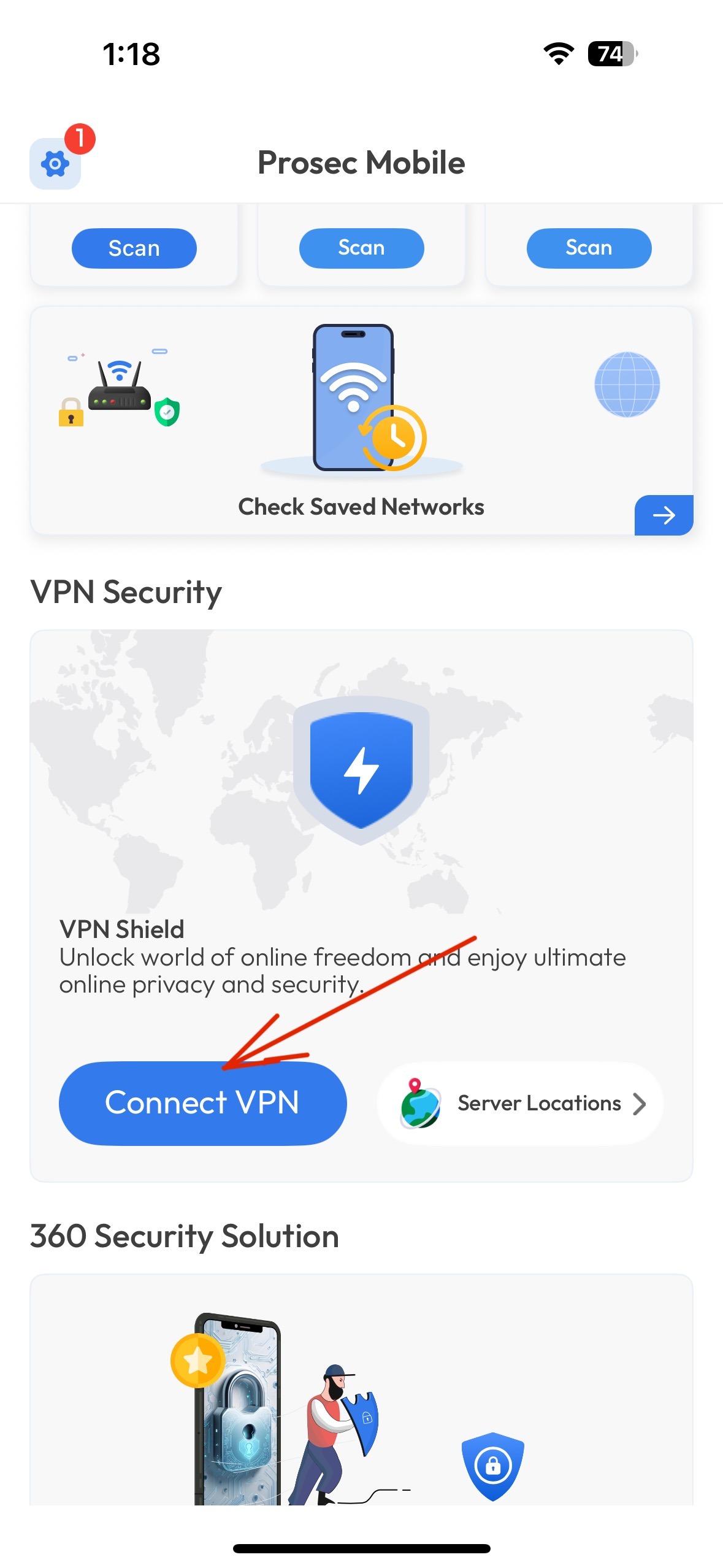
Tap on “Connect”
Simply tap the Connect button. Once the toggle turns green, your VPN is successfully connected and your internet
traffic is now secured.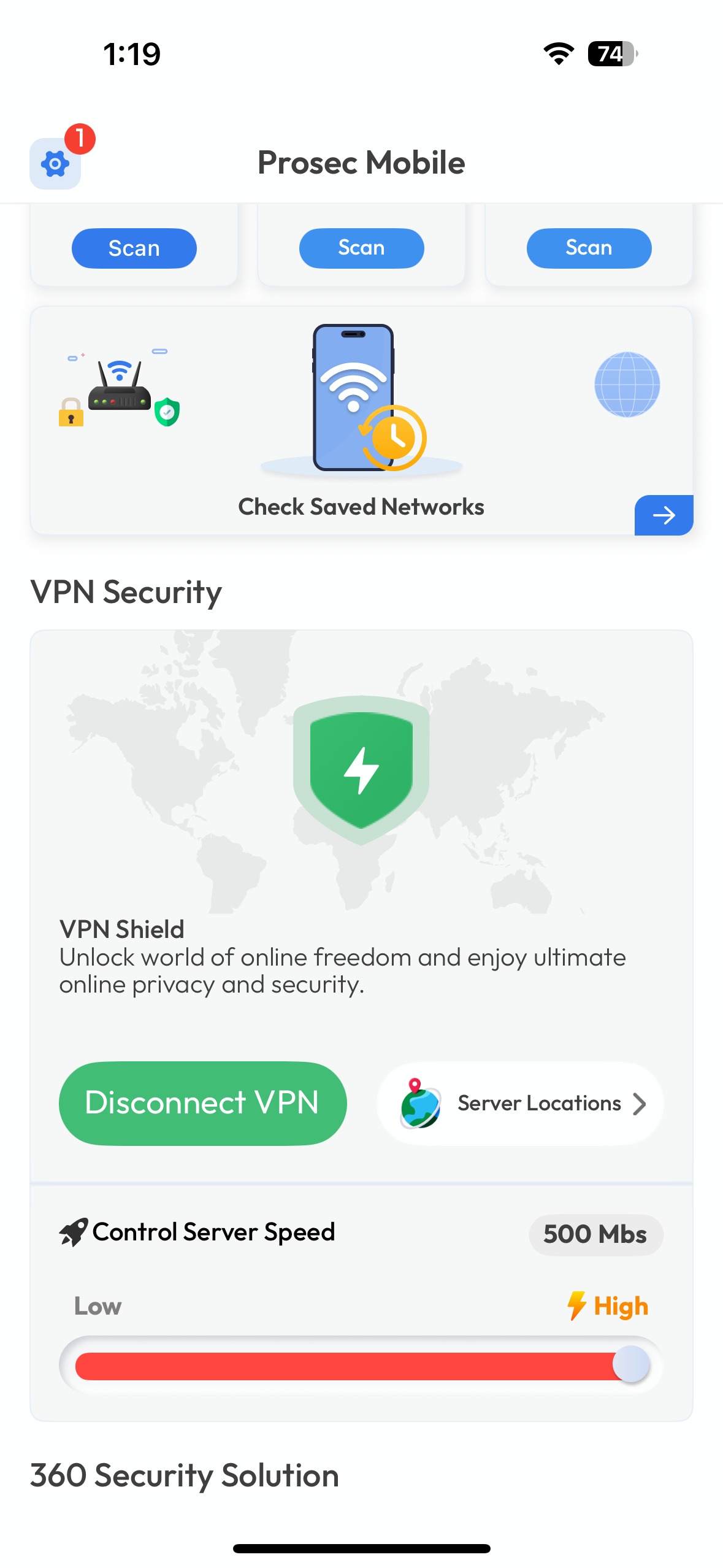
Choose a Server Location
To customize your connection, tap on Server List and select your preferred server location — whether it's for accessing global content or choosing a nearby server for better speed.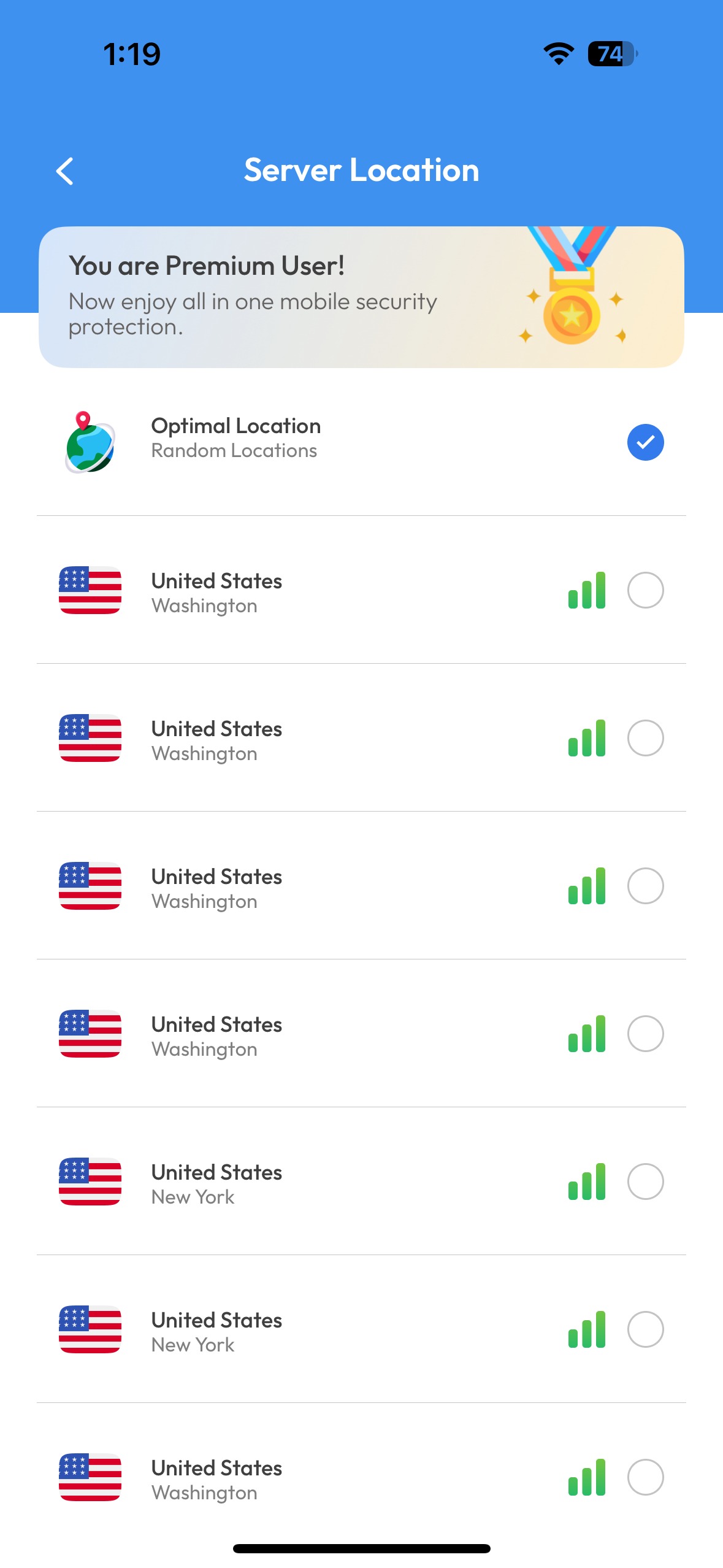
Adjust Server Speed Preferences
You can check and compare the server speeds before connecting. Choose the server that best matches your desired browsing, streaming, or downloading needs.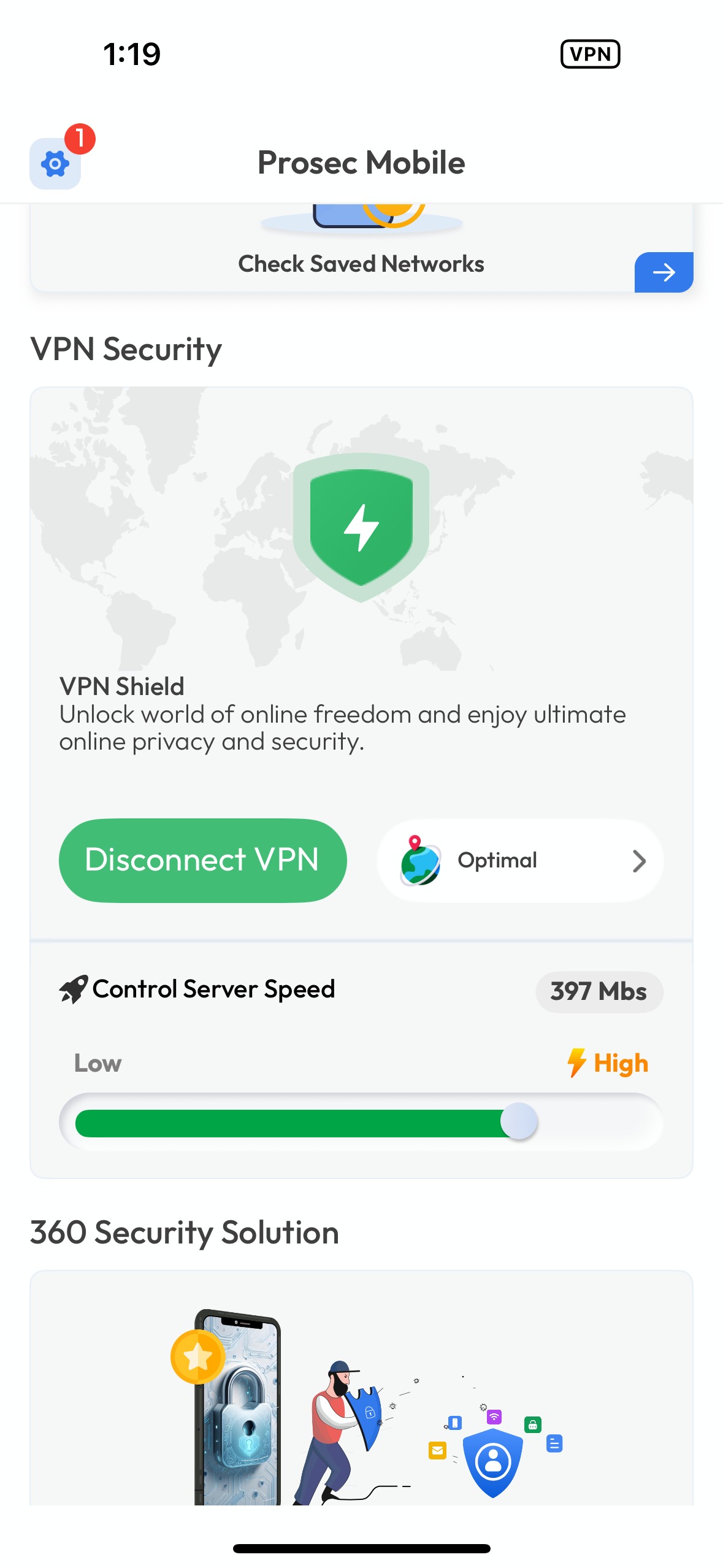
Was this article helpful?
That’s Great!
Thank you for your feedback
Sorry! We couldn't be helpful
Thank you for your feedback
Feedback sent
We appreciate your effort and will try to fix the article