If you’ve forgotten your vault passcode:
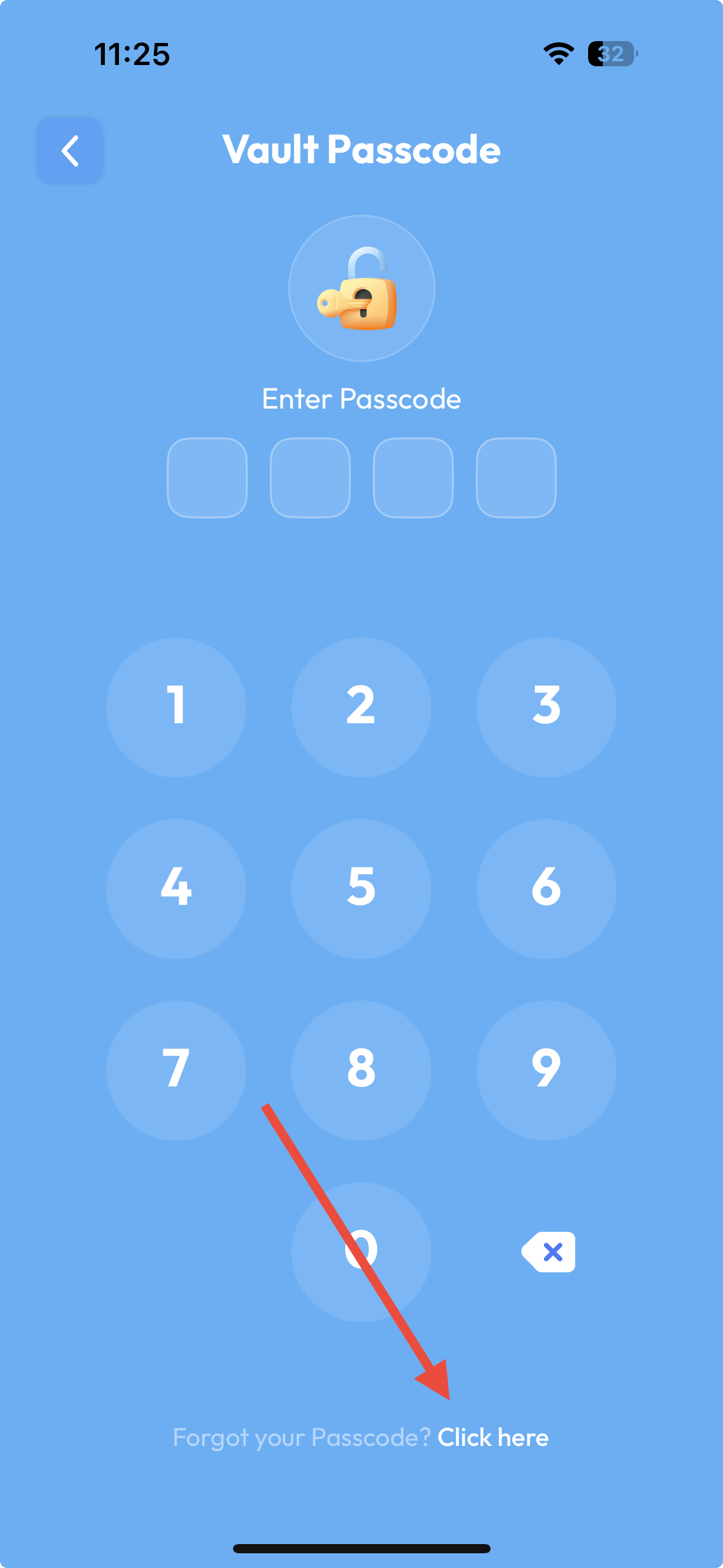
On the Vault Passcode screen, tap on “Click Here” or the Forgot Passcode option.
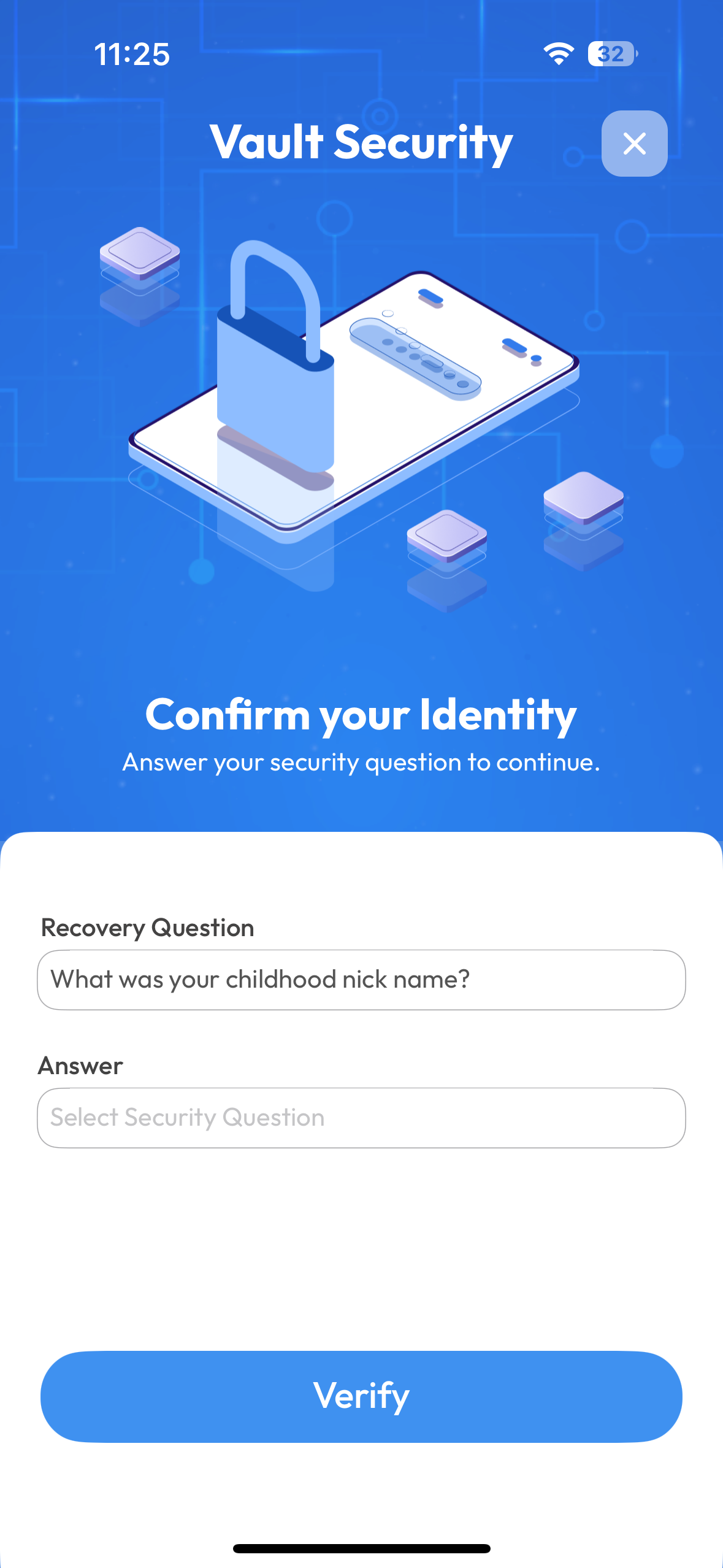
Answer the security questions you previously set.
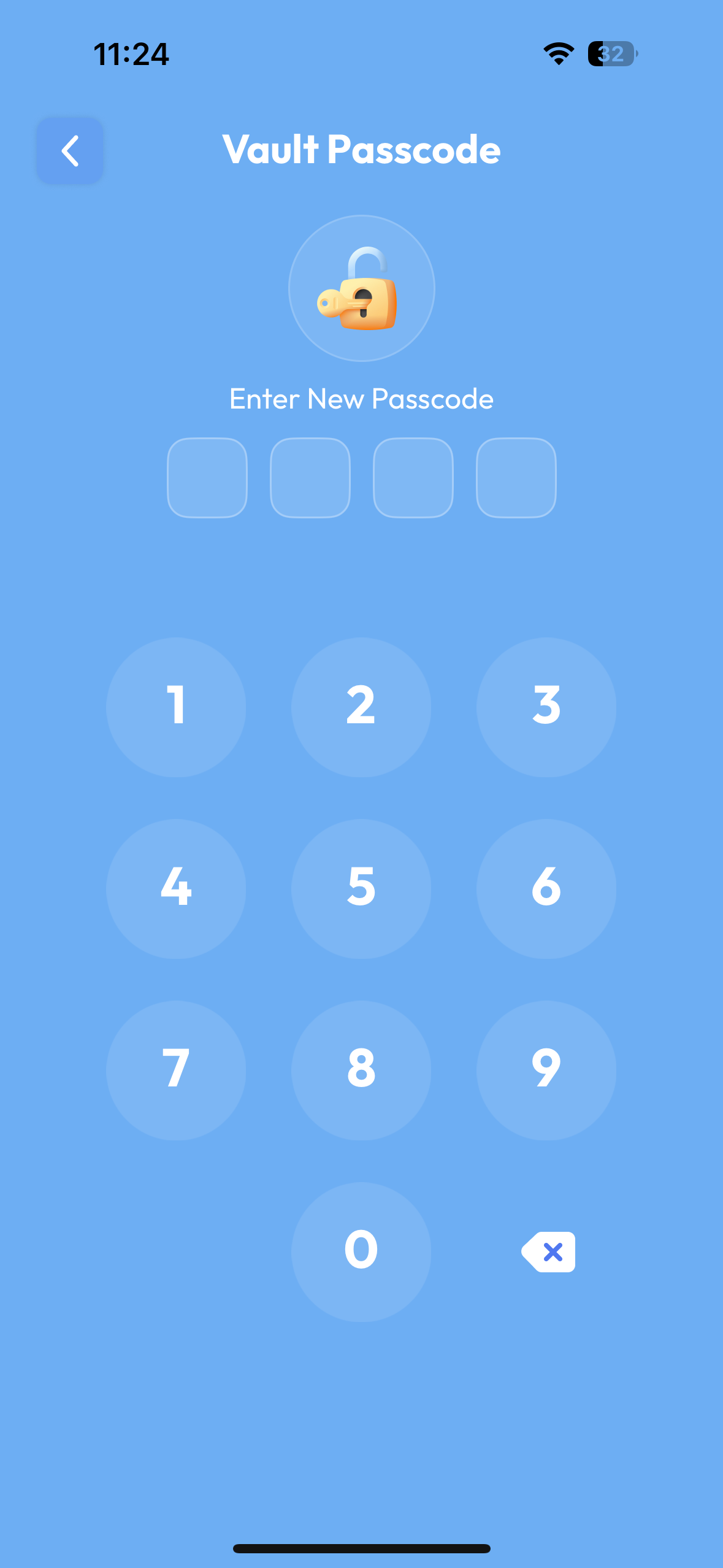
Once verified, you can create a new passcode and regain access to your vault.
Was this article helpful?
That’s Great!
Thank you for your feedback
Sorry! We couldn't be helpful
Thank you for your feedback
Feedback sent
We appreciate your effort and will try to fix the article