To change your plan:
Go to Settings → Subscriptions in the app.
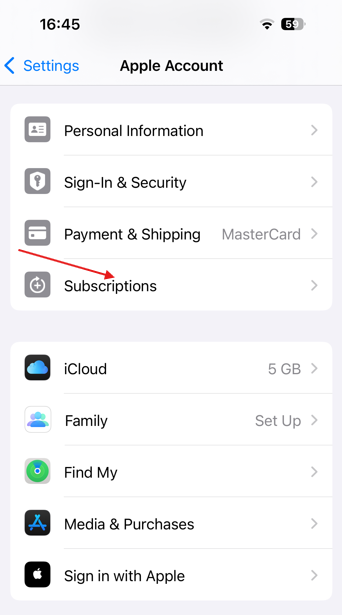
Choose your desired plan (e.g., upgrade from Weekly to Yearly).
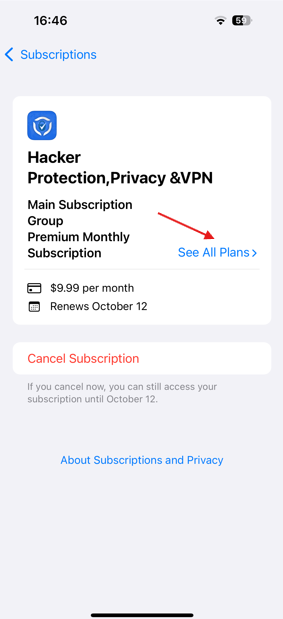
Confirm the change.
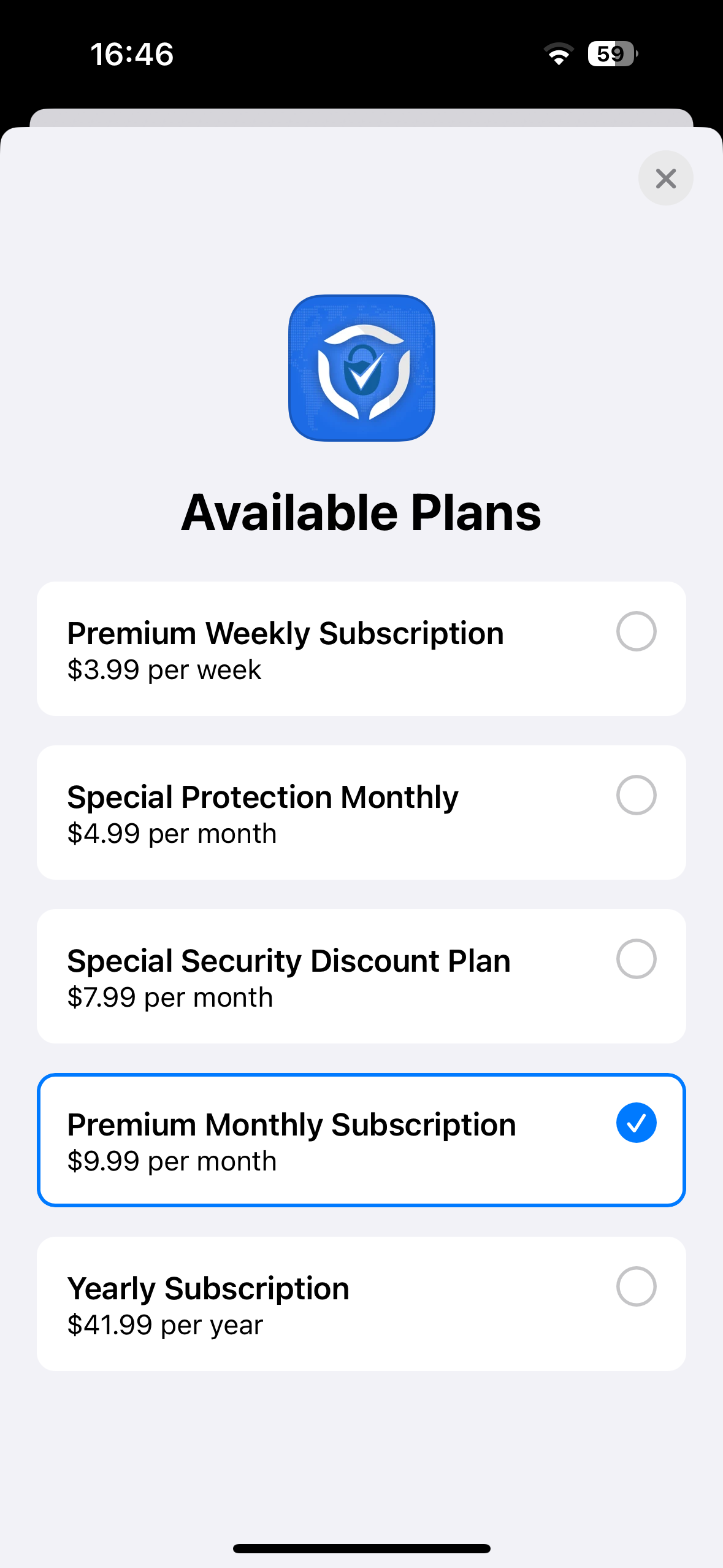 Your new plan takes effect immediately, and you’ll receive a pro-rated charge or refund as needed.
Was this article helpful?
That’s Great!
Thank you for your feedback
Sorry! We couldn't be helpful
Thank you for your feedback
Feedback sent
We appreciate your effort and will try to fix the article