To view filtered spam messages:
Open the default Messages app on your iPhone.
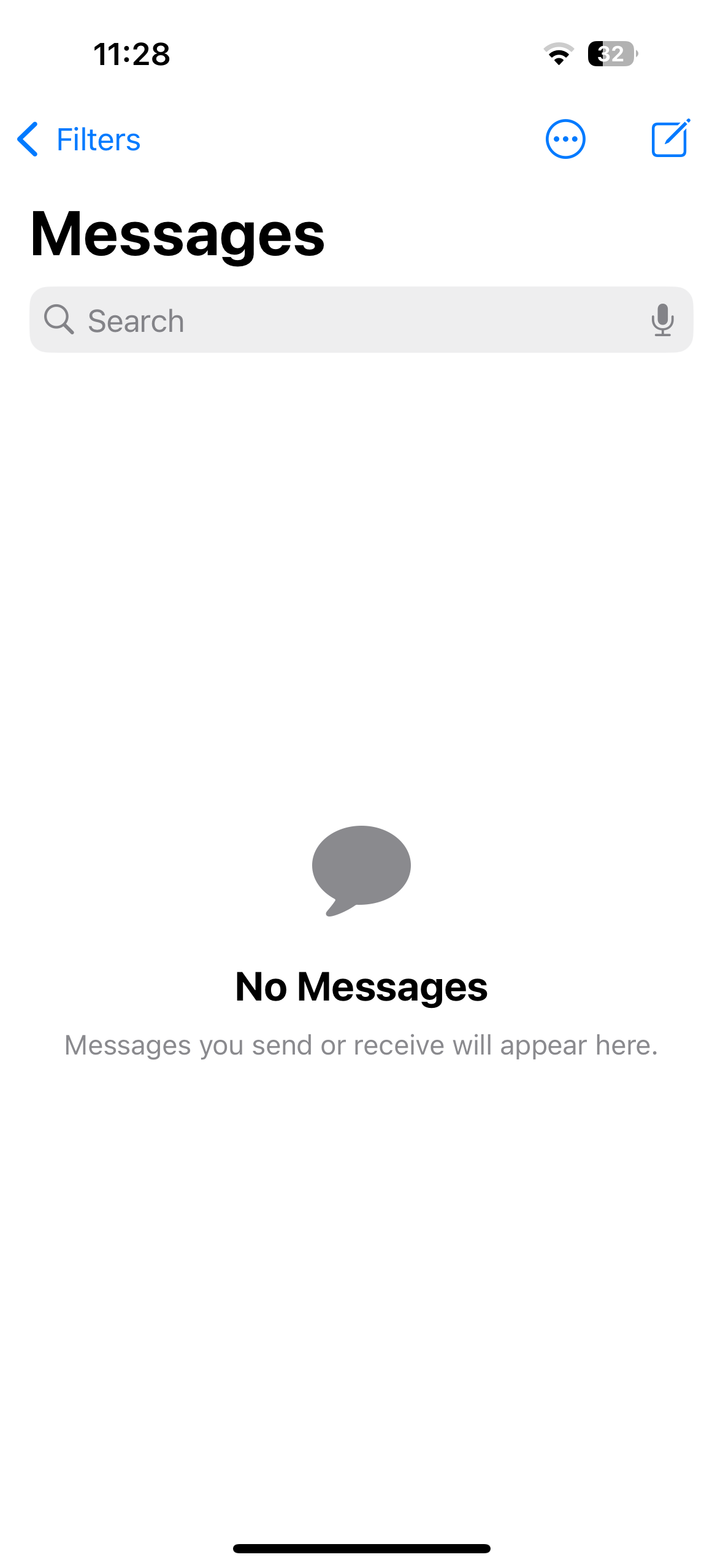
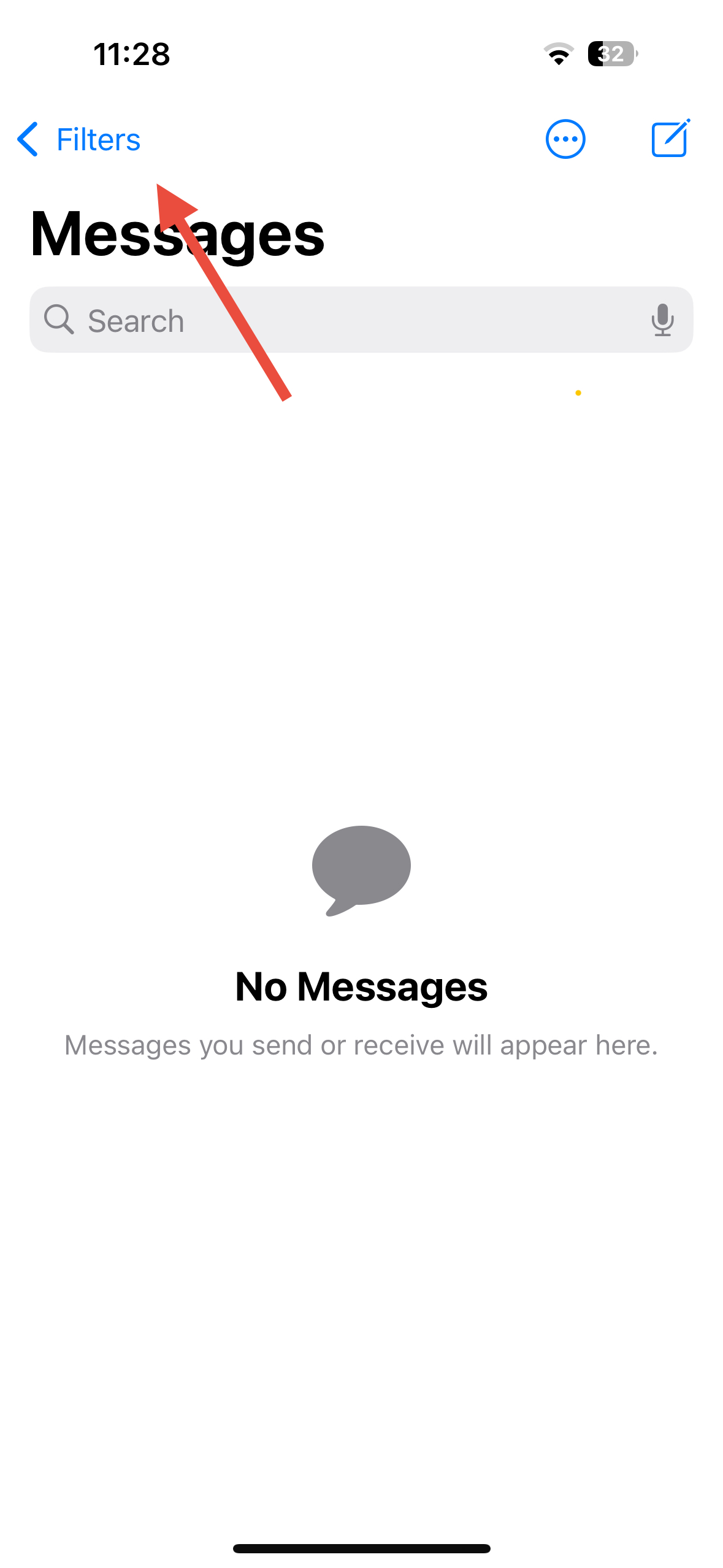
Tap on the Filters option at the top-left corner.
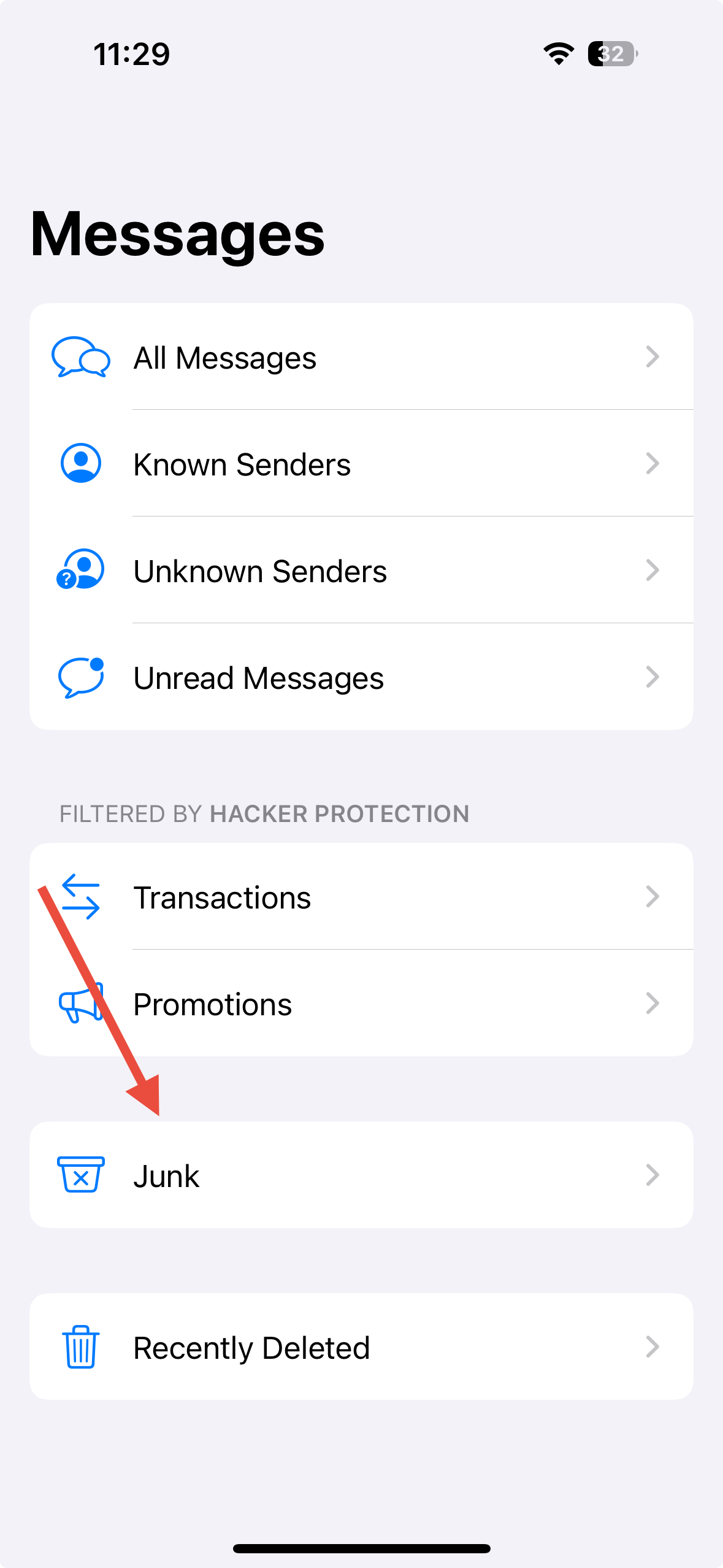
Select the Junk folder to view spam messages.
Swipe left on any unwanted message to delete it permanently.
Was this article helpful?
That’s Great!
Thank you for your feedback
Sorry! We couldn't be helpful
Thank you for your feedback
Feedback sent
We appreciate your effort and will try to fix the article