To securely add your private media to the Photo Vault:
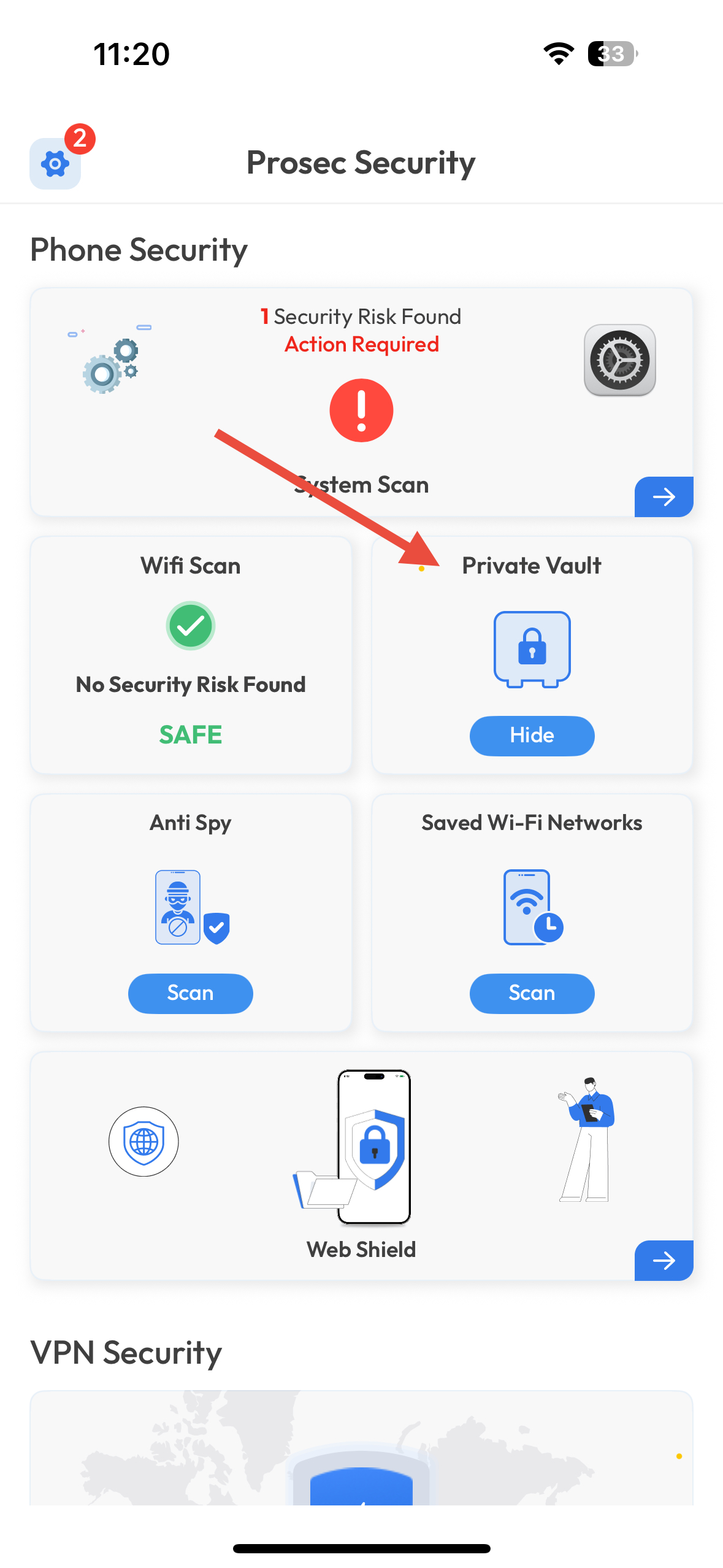
Open the Private Vault feature from the main screen.
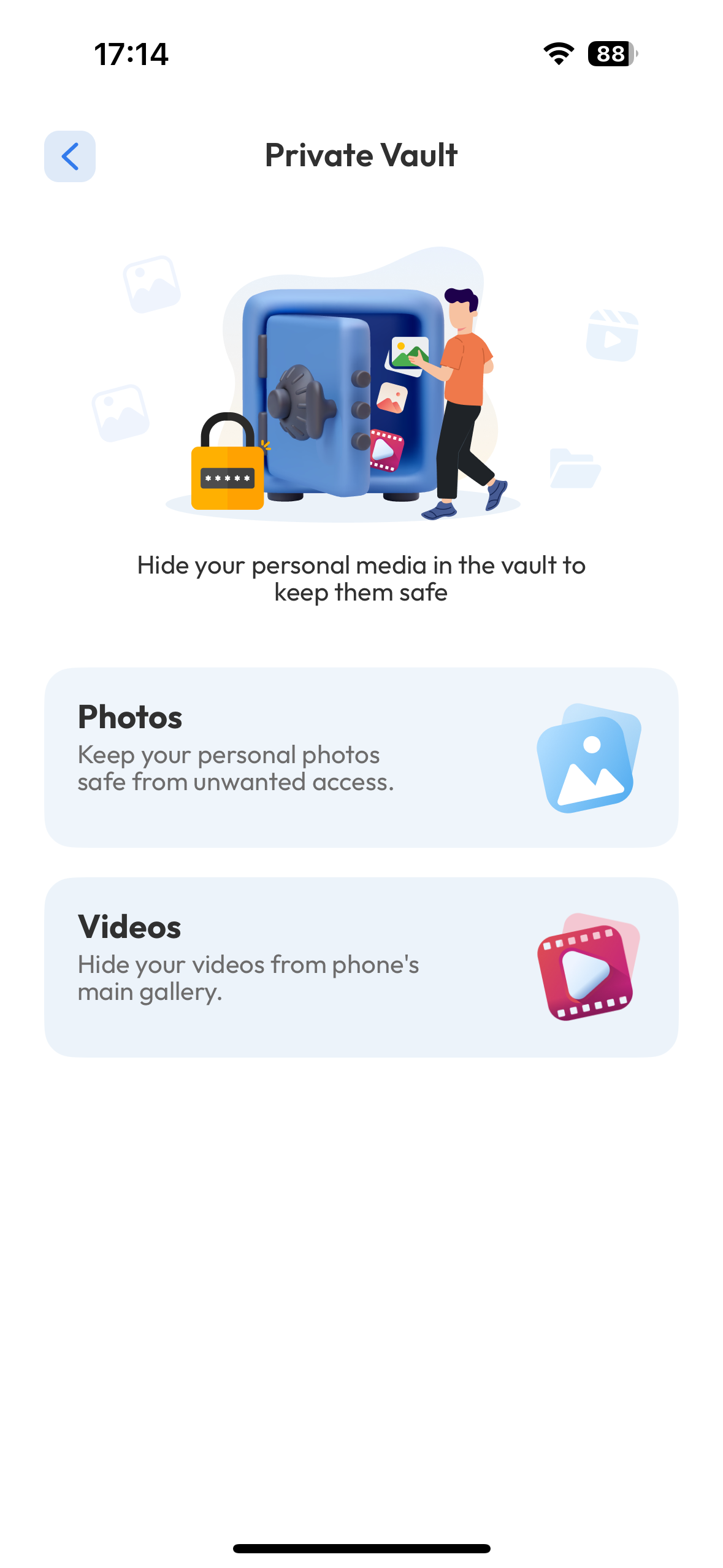
Tap on Photos or Videos, depending on what you want to add.
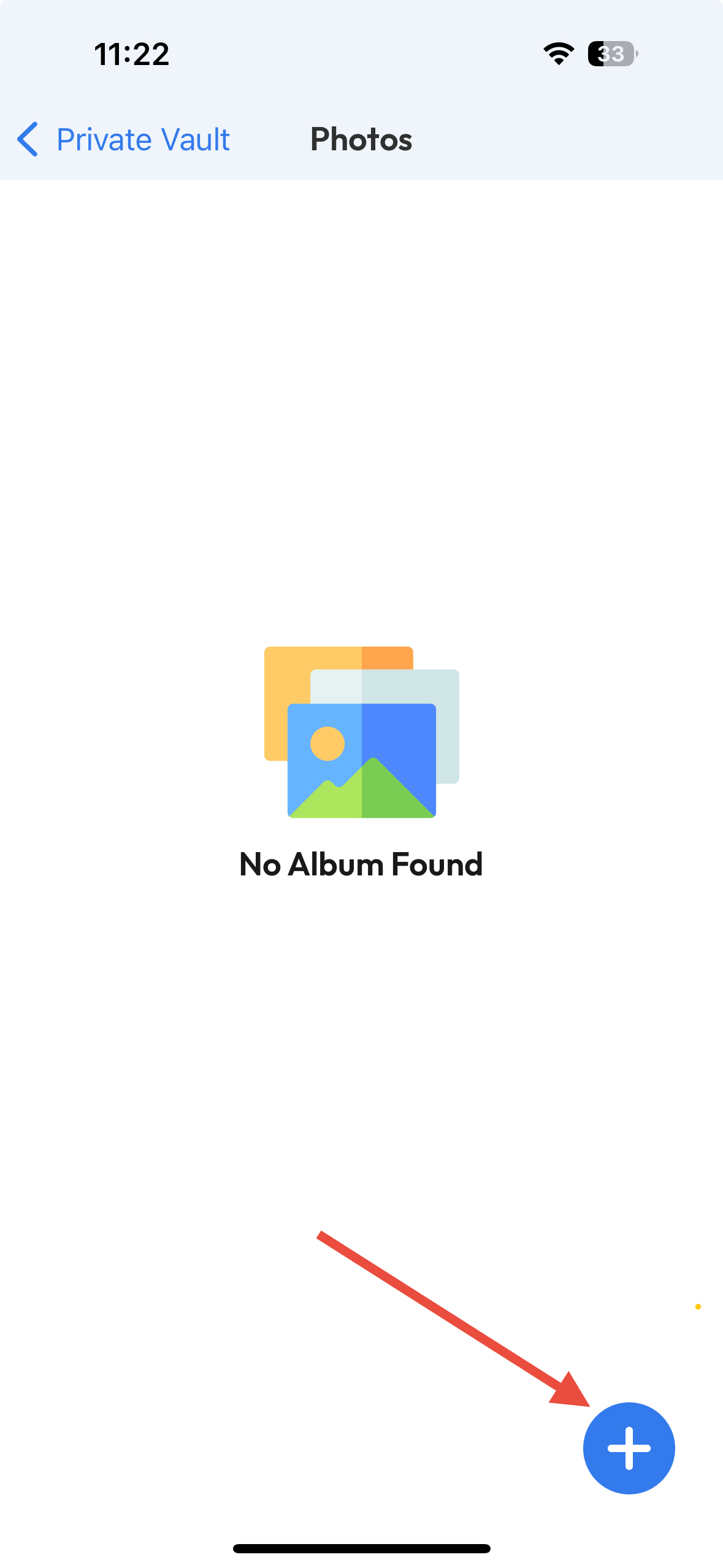
Tap the “+” icon at the bottom-right corner.
Select the files you wish to add from your gallery.
Confirm to move them into your secure vault.
Was this article helpful?
That’s Great!
Thank you for your feedback
Sorry! We couldn't be helpful
Thank you for your feedback
Feedback sent
We appreciate your effort and will try to fix the article