To check if your personal data has been involved in a breach:
Open the app and go to the ID Scan section.
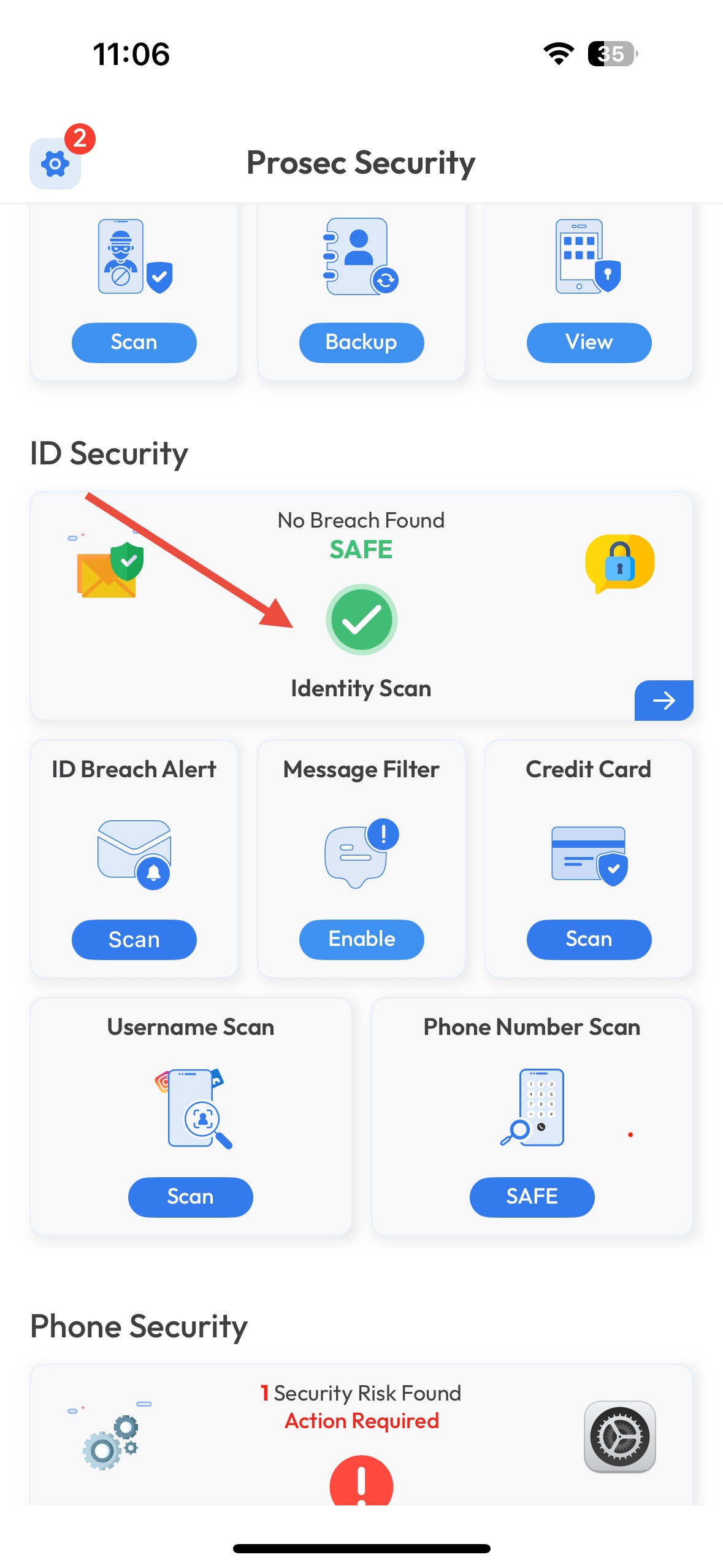
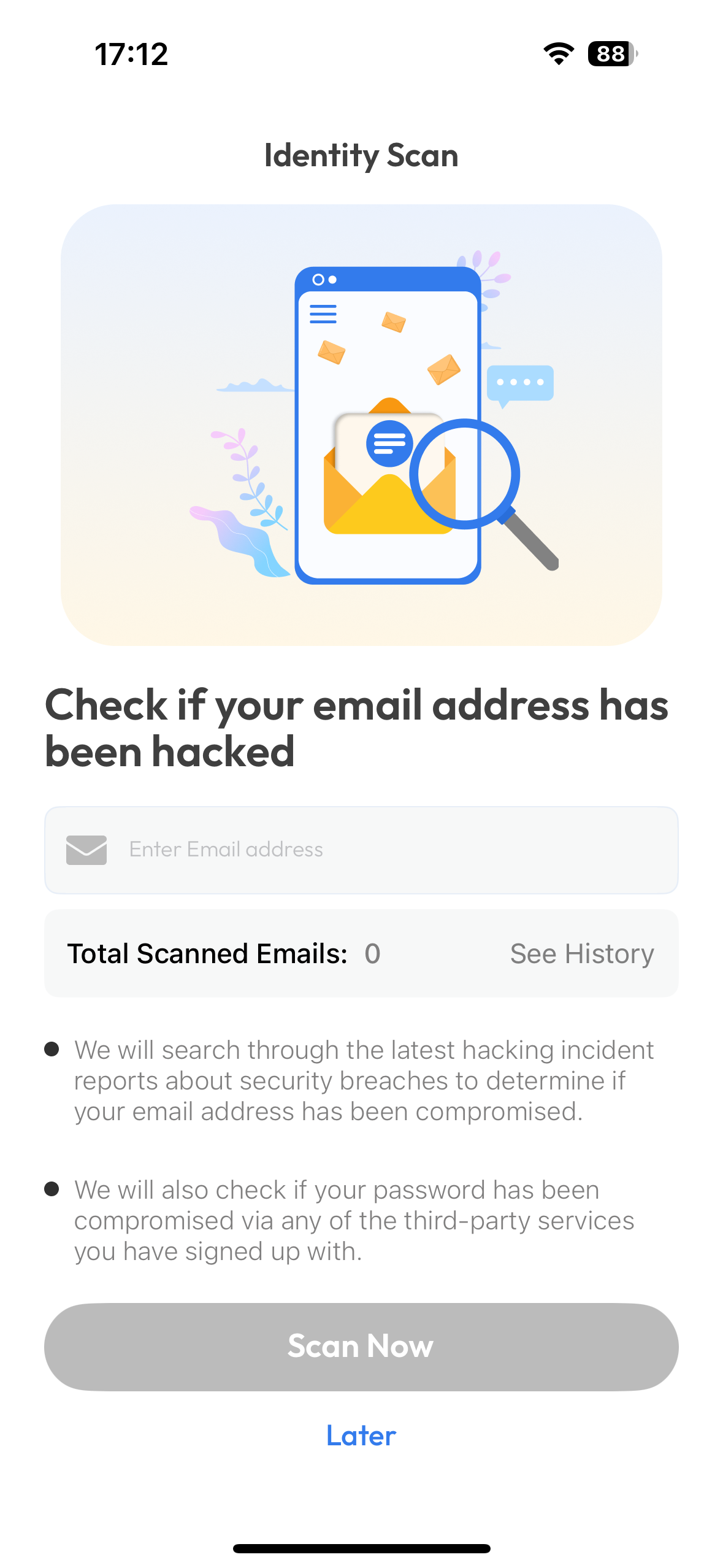
Select the email address or account you want to check.
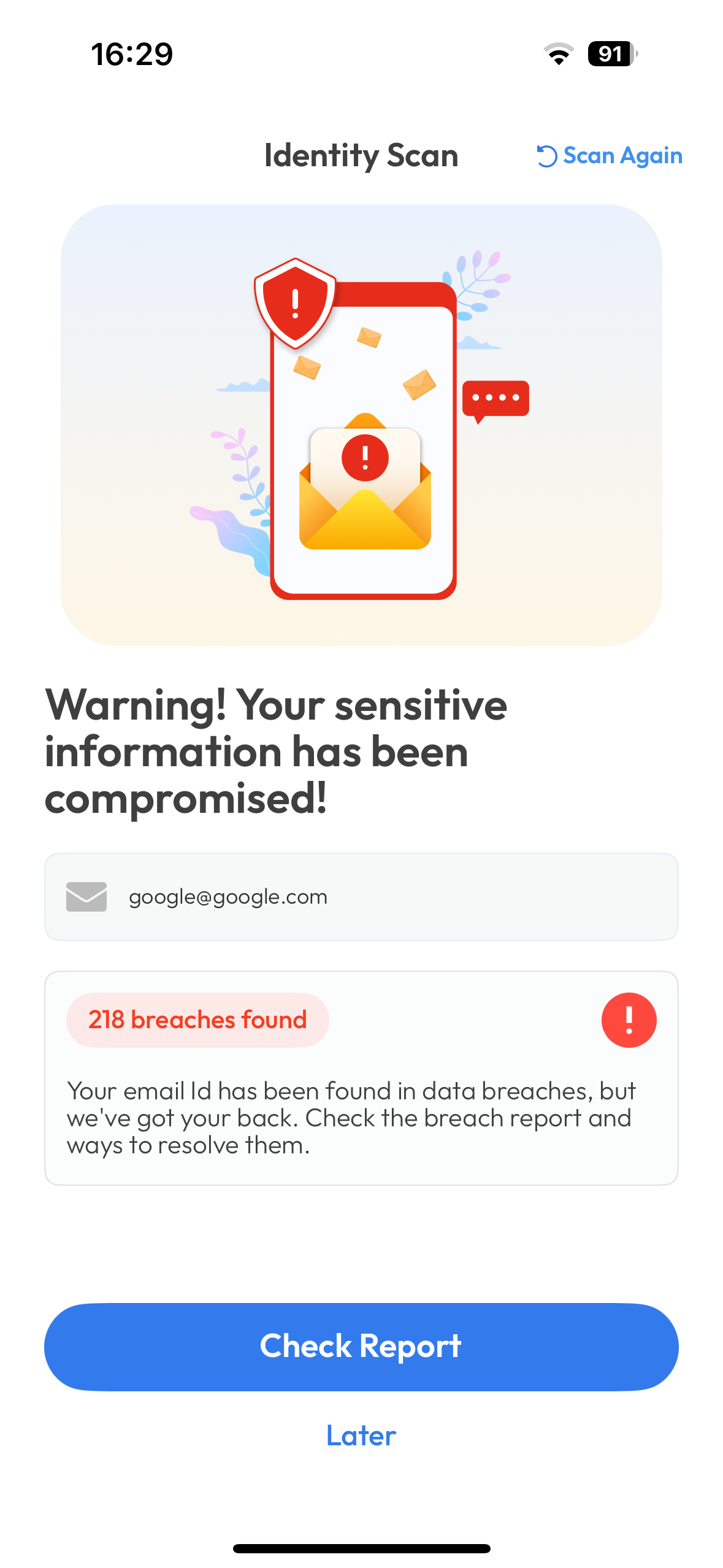
The app will display any recent breaches linked to that account.
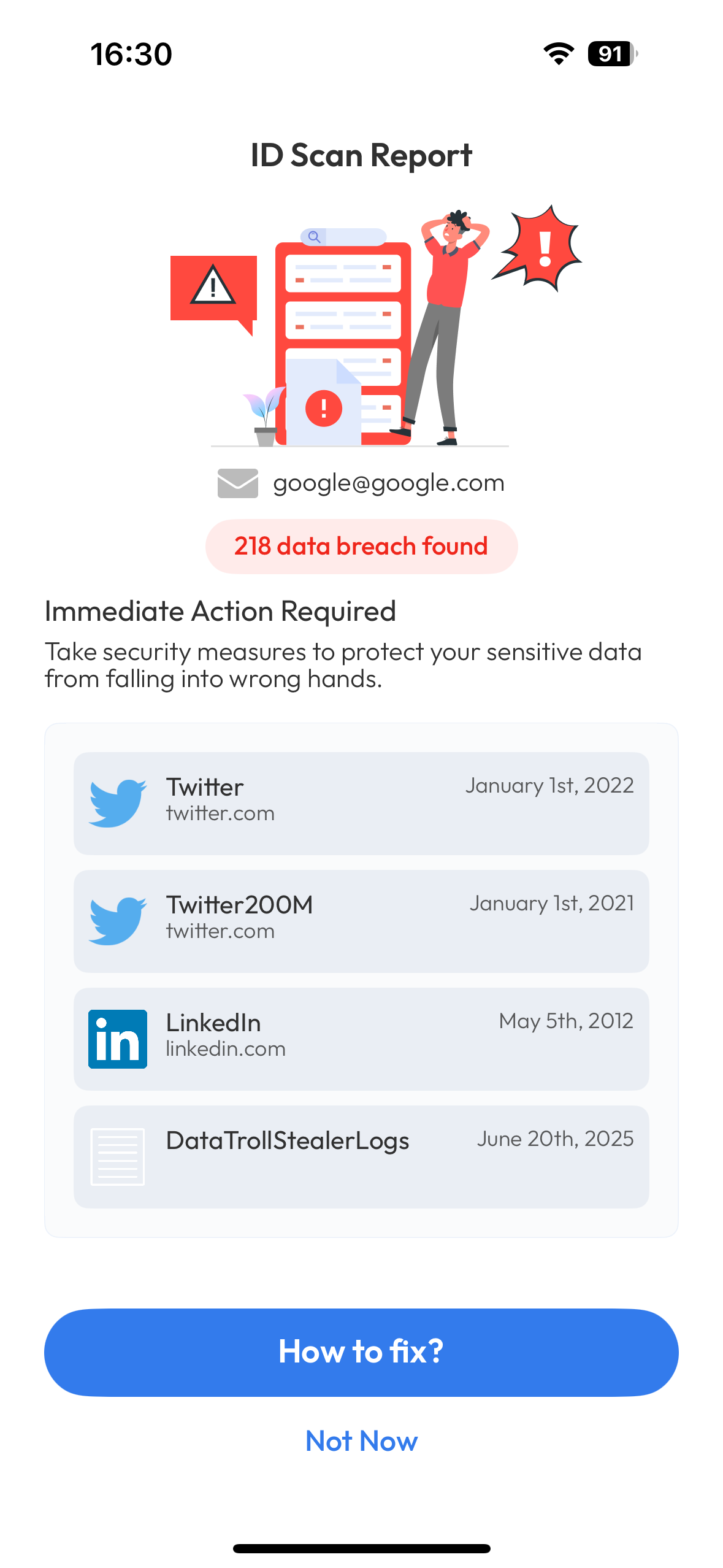
Tap a breach to see details like the type of data exposed and the breach date.
Was this article helpful?
That’s Great!
Thank you for your feedback
Sorry! We couldn't be helpful
Thank you for your feedback
Feedback sent
We appreciate your effort and will try to fix the article