If you're experiencing issues accessing your subscription, please follow the steps below to restore it:
Ensure you're signed in with the same Apple ID used to purchase the subscription.
Verify your internet connection is stable and active.
Update the app to the latest version to access all recent features and improvements.
Once the above steps are completed, try restoring your subscription:
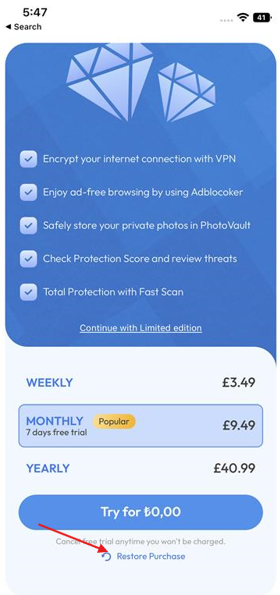
Go to the Premium screen in the app and tap Restore Purchase at the bottom.
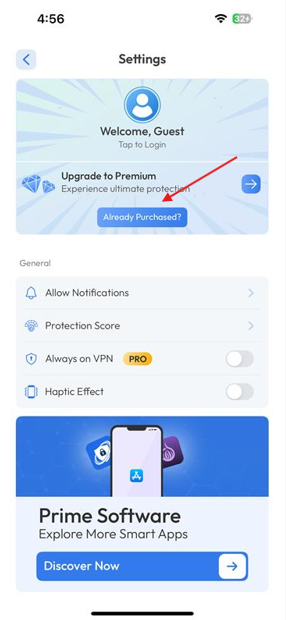
Alternatively, navigate to the Settings screen and tap "Already Purchased?".
If your subscription still doesn’t activate, please contact our support team. Include any error messages, screenshots, and additional details to help us resolve the issue promptly.
Was this article helpful?
That’s Great!
Thank you for your feedback
Sorry! We couldn't be helpful
Thank you for your feedback
Feedback sent
We appreciate your effort and will try to fix the article