To cancel your subscription, follow these steps:
Open the Settings app on your iPhone or iPad.
Tap your Apple ID at the top, then select Subscriptions.
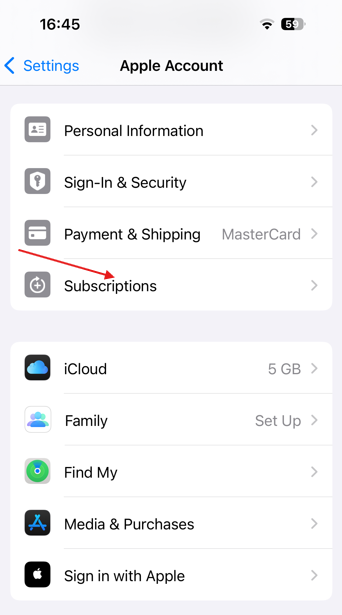
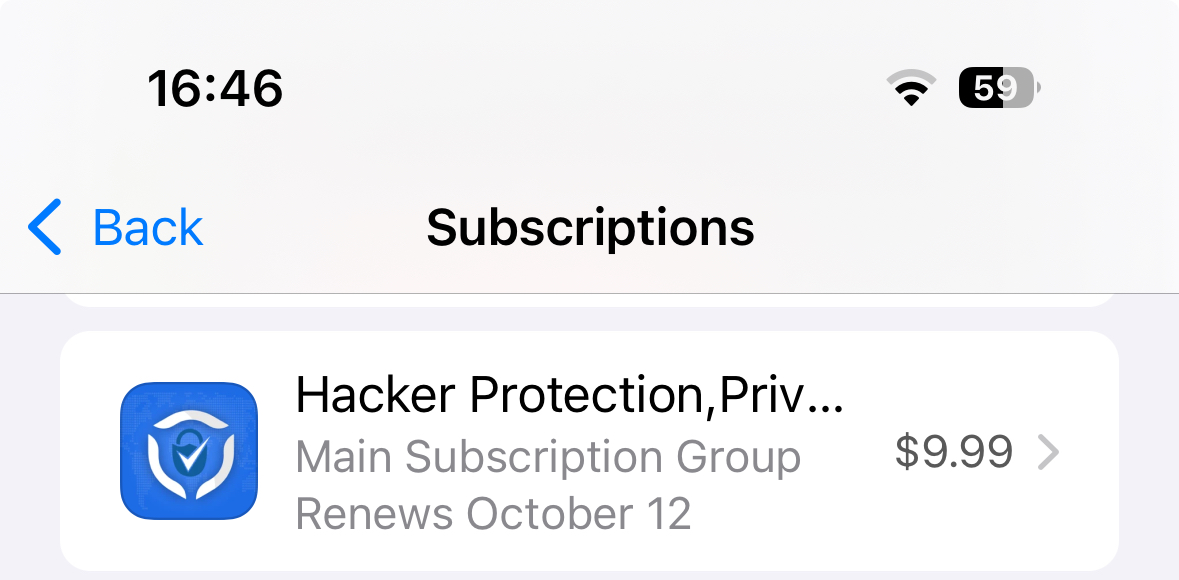
Find and tap on the subscription for our app.
Tap Cancel Subscription and confirm your choice.
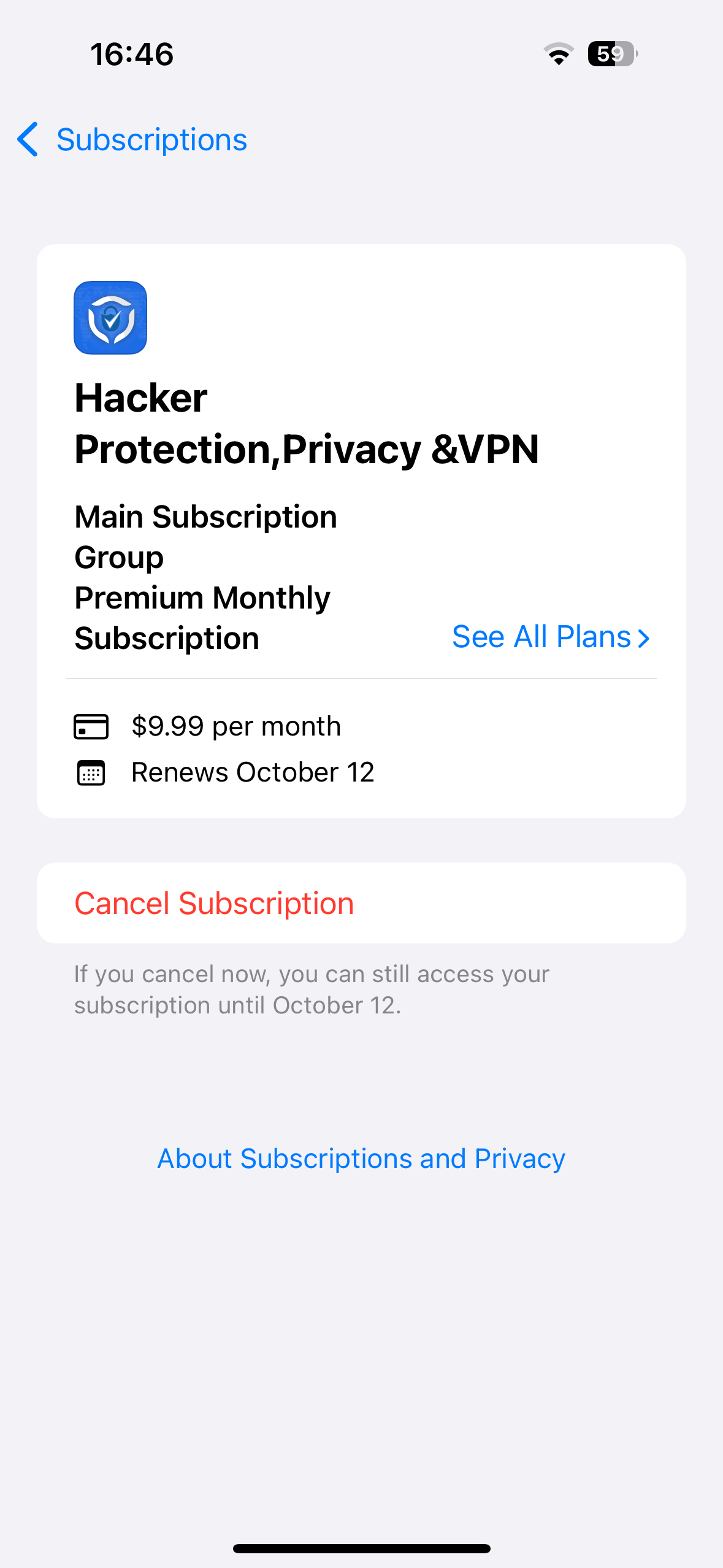
Please note that deleting the app does not automatically cancel your subscription. If you cancel, your subscription will remain active until the end of the current billing period.
Was this article helpful?
That’s Great!
Thank you for your feedback
Sorry! We couldn't be helpful
Thank you for your feedback
Feedback sent
We appreciate your effort and will try to fix the article